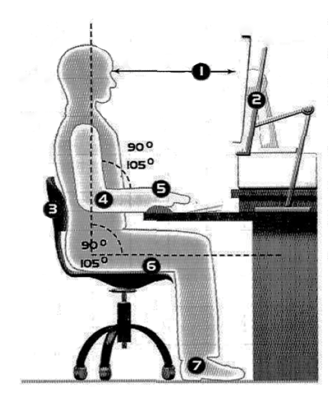
Match the numbers in the picture to the correct tips in the checklist. Match the items on the right to the items on the left.
Health and safety
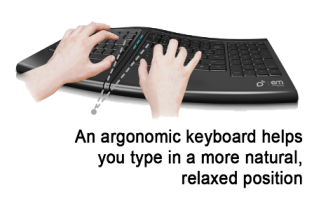
A Computer ergonomics There are a number of health and safety problems that may result from continuous use of computers. • Typing constantly at high speed may provoke repetitive strain injury or RSI, which causes pain in the neck, arms, wrists, hands and fingers. • Bad work postures and sitting in uncomfortable chairs may cause backache and stress. • Looking at the screen for long periods of time, and lights reflecting off the screen, can cause headaches and eye strain eye strain, pain and fatigue of the eyes. The study of how people interact safety and efficiently with machines and their work conditions is called ergonomics. In computing, ergonomics is about designing computer facilities so they are safe and comfortable. Here are a few tips. 1. Get an adjustable chair so you can change its height and angle. 2. Make sure your feet rest firmly on the ground or on a foot rest. 3. Ensure you have enough leg room under the desk. 4. Put the monitor at eye level or just below. 5. Sit at arms’ length from the monitor (40-80 cm). Don’t sit near the sides or back of CRT monitors; or use LCD screens, which are free from radiation. 6. Use a document holder, in line with the screen, to reduce awkward neck and eye movement between the document and the screen. 7. Position the keyboard at the same height as your elbows, with your arms parallel to the work surface. Try to keep your wrists straight and flat when typing. 8. Take regular breaks from the computer and look away from the screen at regular intervals.